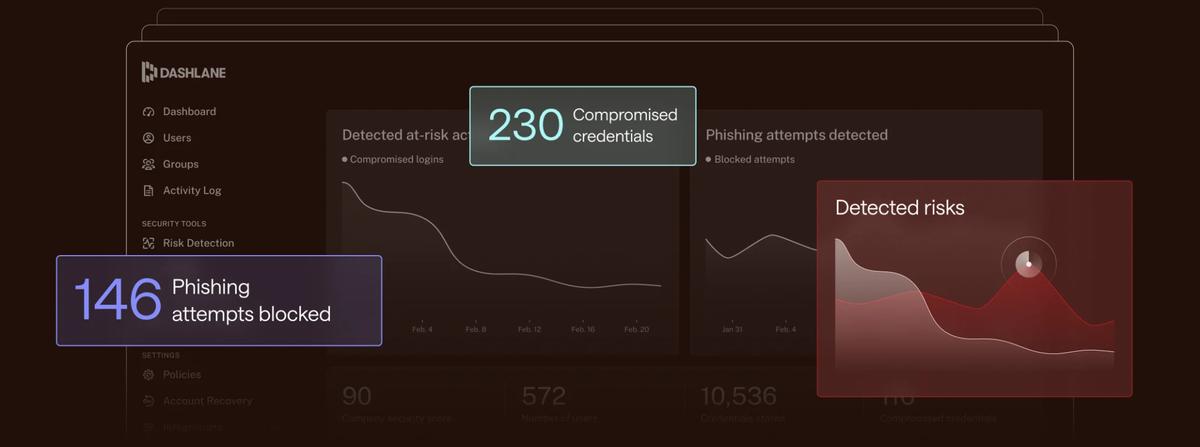
In today’s digital landscape, managing your online credentials can feel like an overwhelming task. With countless accounts and passwords to remember, navigating this jungle requires a trusted ally. Enter Dashlane, a powerful tool designed to simplify your digital security. Here are 12 essential tips to help you maximize your use of Dashlane in 2026, ensuring your online life is not only organized but also secure.
- Start with the Essentials: Password ManagementAt its core, Dashlane is a password manager, and getting the most out of it starts with storing all your passwords securely. When you sign up, import your existing passwords and let Dashlane do the heavy lifting. It will not only save you time but also help generate strong, unique passwords for each account. The great thing? You can easily update any password directly from the app.
- Use the Password Health FeatureHave you ever wondered how secure your passwords really are? Dashlane’s Password Health feature analyzes your saved passwords, identifying weak or reused ones. It offers actionable recommendations to improve your security. After all, who wants to be the easy target for cybercriminals? Schedule a regular check-up, perhaps monthly, to ensure your credentials are always in tip-top shape.
- Enable Two-Factor AuthenticationFor an added layer of security, enable two-factor authentication (2FA) on your accounts. Dashlane supports 2FA setups, which require a second form of verification—like a text message or authentication app—after entering your password. This extra step can drastically reduce the risk of unauthorized access.
- Take Advantage of the Password GeneratorDid you know that the average person has around 100 passwords? Creating strong, memorable ones can be a challenge. That’s where Dashlane’s Password Generator comes in. It allows you to create complex passwords that are hard to crack. Customize your preferences for length and complexity, and you’ll always have robust passwords at your fingertips.
- Secure Notes for Important InformationPasswords aren’t the only sensitive information you may need to store. Use Dashlane’s 'Secure Notes' feature for storing things like credit card details, bank account information, or even important documents. Your sensitive data deserves the same level of protection as your passwords, and Dashlane provides a safe vault for that.
- Monitor for Data BreachesDashlane includes a built-in dark web monitoring tool that alerts you if your information is found in a data breach. Being proactive about potential leaks gives you an edge in managing your online security. If you receive an alert, promptly change the affected passwords to mitigate any risks.
- Share Passwords SecurelyDo you need to share access to your Netflix account with your friend? Instead of sending passwords over text or email (which can be risky), use Dashlane’s secure sharing feature. You can share credentials without revealing the actual password, keeping your accounts safe while still granting access.
- Organize with FoldersKeeping your passwords organized is essential for managing your digital life efficiently. Dashlane allows you to create folders to categorize your accounts—like work, personal, or social media. This makes it easier to find what you need when you need it, especially as your collection of accounts grows.
- Utilize the VPN for Secure BrowsingWorried about unsecured Wi-Fi networks? Dashlane offers a built-in VPN feature that encrypts your internet connection. This is particularly useful when you’re traveling or working remotely, providing peace of mind while you browse. Make sure to activate the VPN when connecting to public Wi-Fi to safeguard your online activities.
- Check for Voice and Face Unlock OptionsFor those who want convenient yet secure access, explore Dashlane's biometric authentication features. Depending on your device, you may be able to unlock Dashlane using your fingerprint or facial recognition. This feature enhances security while allowing you to quickly access your passwords without the hassle of remembering a master password.
- Regularly Review Your Account ActivityKeeping an eye on your account activity can help you spot unauthorized access. Dashlane allows you to review your recent logins and activity. Make it a habit to check this regularly, especially if you notice any unusual behavior or if your credentials have been exposed. Staying vigilant is vital in today’s online environment.
- Explore the Premium FeaturesWhile Dashlane offers a robust free version, the premium version comes with even more features, including dark web monitoring, VPN, and priority support. If you find yourself needing more from your password manager, consider upgrading. It can be a small investment for substantial peace of mind.
How Dashlane stacks up against other Remote Collaboration brands right now (with active codes):
| Brand | Best For | Highlight | Promo Code |
|---|---|---|---|
| Dashlane | Shoppers looking for remote collaboration essentials | 10% off | See Discount Codes → |
| Spyrix | Worth comparing for selection and price | 10% off | See Discount Codes → |
| WeTransfer | Worth comparing for selection and price | 40% off | See Discount Codes → |
| Airtable | Worth comparing for selection and price | Free gift | See Discount Codes → |
| Harlow | Worth comparing for selection and price | $12 off | See Discount Codes → |
Maximize Your Dashlane Experience
Discover more features on Dashlane's website!
Imagine this: you’re at a coffee shop, trying to connect to the public Wi-Fi, and you remember you need to log in to multiple accounts. Instead of frantically typing your passwords or risking your security, you pull out your phone, open Dashlane, and with a quick fingerprint authentication, you’ve got access to all your stored credentials ready to go. This is the simplicity and efficiency that Dashlane offers, allowing you to focus on what truly matters.
In a world where digital security is increasingly critical, Dashlane stands out as a trustworthy tool to keep your online life organized and secure. By following these tips, you can make the most of your Dashlane experience, ensuring that you remain protected online. Don’t forget to utilize available discounts, like using code TOMSCOTT for another 10% off your subscription! You can shop directly at Dashlane.
As we navigate through 2026, the importance of strong digital security can’t be overstated. Dashlane not only helps manage passwords but also enhances your overall online safety. Try out the features mentioned above, and you’ll find that keeping your digital life secure doesn’t have to be a daunting task—especially when Dashlane is in your corner.