
Cleaning your TV screen without causing damage is easy when you follow these simple steps. Achieve a smudge-free appearance and enjoy your favorite shows without distractions.
No one wants to struggle through streaks and smudges during a thrilling movie or show.
Here are expert tips for keeping your TV screen spotless without sacrificing picture quality.
What's the best way to clean a TV screen?
To refresh your bedroom or living room TV, gather the following items:

Regular cleaning helps prevent smudges and enhances your viewing experience.
- Soft cleaning cloths, such as E-Cloth Screen Cleaning Cloths, found on Amazon
- Distilled water, available in bulk on Amazon, and optionally, white vinegar from Walmart
- A soft cleaning brush, available at Walmart
1. Power off your TV
Start by turning off your TV. This not only enhances safety but also makes it easier to spot dust and smudges on a darkened screen.
If the TV has been in use, unplug it and let it cool down to minimize static electricity, which can attract more dust.
2. Dust with a microfiber cloth
To eliminate dust, fingerprints, and smudges, use a clean, dry microfiber cloth. We recommend high-quality options like Mr. Siga's microfiber cloths from Walmart. Avoid using abrasive materials like rough paper towels to prevent scratches.
Ana Andres, co-founder of a cleaning service, suggests, 'Wipe the screen in one direction and then go over it again in the opposite direction for thorough coverage.' Use gentle pressure to protect the screen.
3. Remove streaks
If any streaks remain, cleaning expert Scott Schrader advises, 'Lightly dampen a corner of the microfiber cloth with distilled water or a mixture of distilled water and white vinegar.'
'Don't spray this solution directly on the screen,' he cautions. Instead, use a damp cloth to buff the screen in circular motions, avoiding excess moisture.
Afterward, dry the screen with a second dry microfiber cloth, using small circular motions to eliminate streaks.
4. Clean the ports too
A frequent oversight is neglecting the back of your TV, especially if it's wall-mounted.
Scott recommends, 'Finish by dusting the frame and vents, ensuring you clear out dust from small crevices.' Pay attention to HDMI ports, as dust can interfere with connections. Consider using an electronic cleaner kit from Walmart with fine brushes for delicate areas.
For larger vents, use a handheld vacuum with a soft brush attachment. Keeping cables organized behind your TV can simplify this process.
Cleaning mistakes to avoid
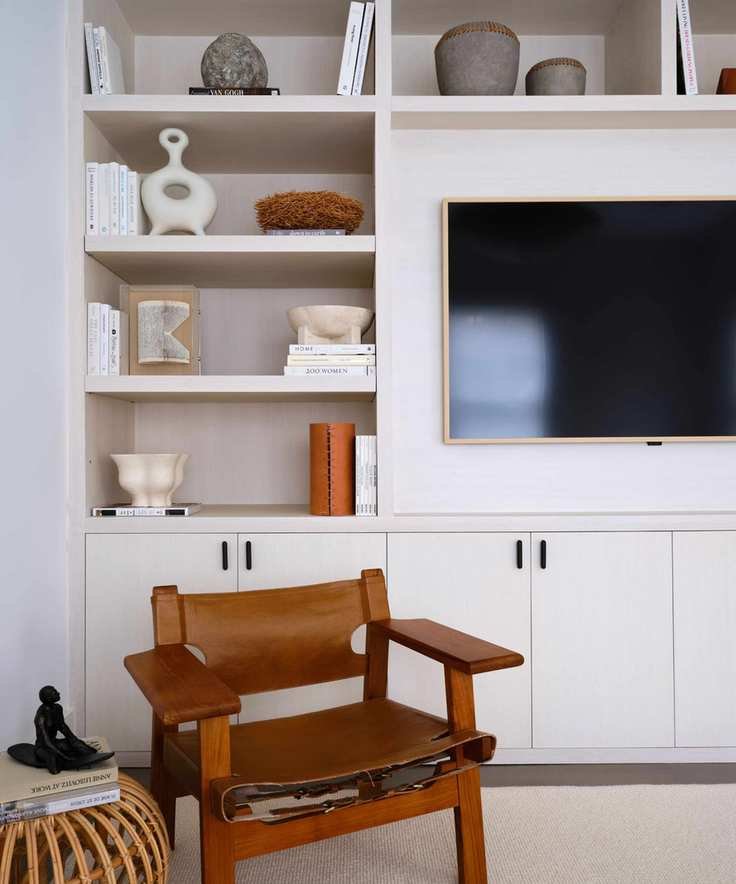
Having the right cleaning tools nearby helps prevent the use of damaging items.
Here are some common pitfalls to avoid that could harm your TV.
1. Avoid harsh chemicals
While cleaners designed for glass and surfaces may seem suitable, they can be detrimental to your TV. Harsh chemicals are unnecessary for effective cleaning.
These products often contain alcohol, ammonia, and benzene, which can strip your TV's protective coatings. Steer clear of cleaners like Windex and acetone-based products for optimal results.
If you've already used the wrong cleaner, it may be too late to fix any damage.
2. Don't apply excessive pressure
There's a myth that more pressure equates to better cleaning. However, when it comes to delicate screens, less is definitely more.
When cleaning your TV, light pressure is essential to avoid damaging the pixels. Treat your TV screen with a gentle touch.
3. Limit moisture use
Using too much moisture can lead to damage, especially when cleaning a TV. It can harm electronic components.
When using liquid, only lightly dampen your cloth. Spray the cloth first, squeeze out excess moisture, and then gently buff the screen.
Never spray directly onto the screen; instead, apply it to the cloth for better control. For convenience, consider using specialized cleaning wipes like Weiman Electronic Cleaner Wipes from Walmart.
FAQs
How often should you clean your TV?
Cleaning frequency depends on how dusty your environment is. Ideally, dust your TV weekly or bi-weekly, with a more thorough cleaning of the ports and vents each month to prevent buildup.
Can baby wipes be used on a TV screen?
Using baby wipes on a TV screen is not advisable. Though they may seem convenient, they often contain oils that can damage the screen and leave streaks. Their high moisture content is also unsuitable for sensitive electronics.
Is glasses cleaner safe for my TV?
Some glass cleaners can be safe, but it's crucial to limit liquids and avoid spraying directly onto the screen. A specialized screen cleaner like Garnen Electronics Screen Cleaner from Target is a better option since it avoids harmful chemicals.
Expert Insights

Ana Andres co-founded a cleaning service in 2015 to help individuals find reliable cleaners online after struggling to hire one herself.

Scott is a cleaning expert with a leading home cleaning company. He advocates for eco-friendly cleaning solutions like baking soda.
Once your TV is sparkling clean, don't forget to tackle the remote, another often overlooked area in cleaning routines.
Learn how to properly clean your laptop screen to keep it in pristine condition as well.